
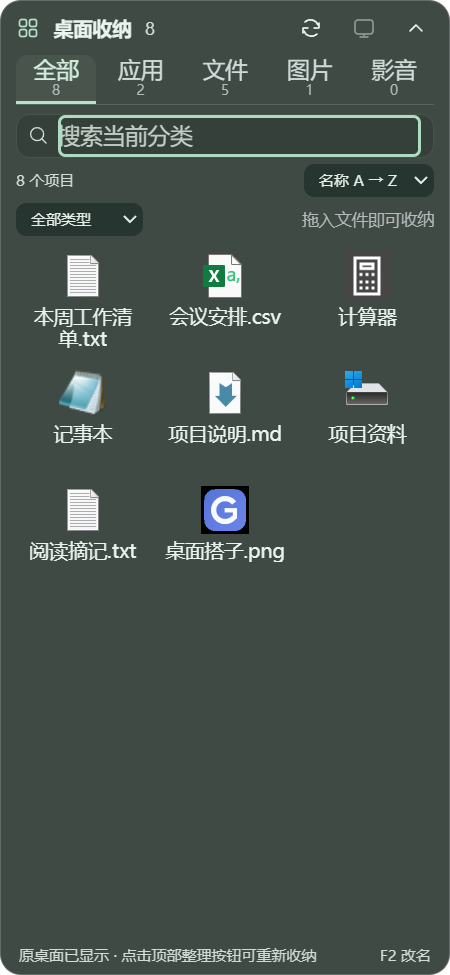
Desktop Buddy, formerly Gerson Desktop Toolbox, brings file organization, to-dos, a monthly calendar, countdowns, and reminders to the Windows desktop. You can move or collapse the panel and pin frequently used files and apps. Dropping in a file creates a shortcut and leaves the original where it is.
Example workflow
Pin your recurring meeting notes in the file organizer, add the next meeting to the calendar, and set a reminder to prepare. On the day of the meeting, check the calendar and double-click the notes to open them.
Getting started
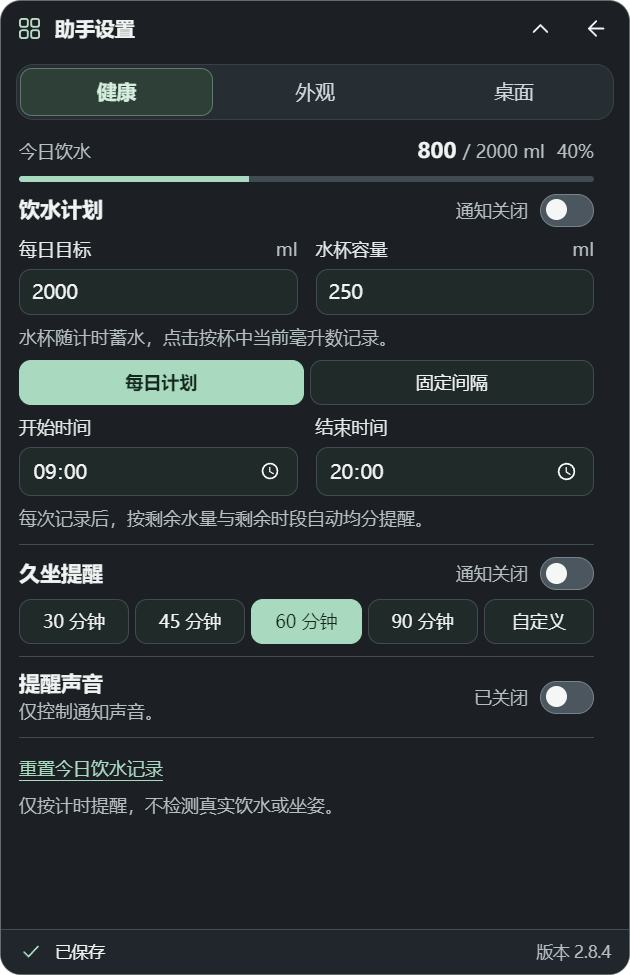
Choose the Windows x64 installer or portable version. Start in the All view of the file organizer and try pinning a frequently used file with the right-click menu. Adjust water and movement reminders in the Health settings to suit your schedule.
Downloads and project resources
Keep file shortcuts, to-dos, your calendar, countdowns, and water and movement reminders on your desktop. Pin your frequent items and double-click to open them. You can move, collapse, or snap the panel into place. Data stays on your device.
Drag pinned items to reorder them. The order persists after a restart. Preview transparency changes to widgets in real time.
Files are hosted on GitHub. Quit the running version from the system tray before updating.